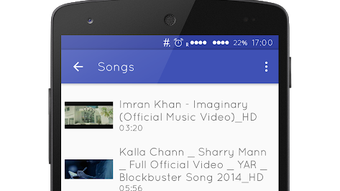

Download Floating Player APK – Free Video Player for Android, Floating Window, MP4, AVI, MOV, MKV
Overview
Floating Player is a free Android application designed to enhance video playback experience by allowing users to watch videos in a floating window while using other apps. The primary purpose of the software is to enable multitasking during video consumption, making it ideal for users who want to browse the web, chat, or work on other tasks without interrupting playback. This tool solves the common problem of having to switch between full-screen video mode and other applications, offering a seamless experience for mobile users.
Target users include casual viewers, students, professionals, and content consumers who frequently watch videos on their Android devices. The app is particularly useful for those who enjoy watching tutorials, online courses, or entertainment content while performing other tasks. The developer, ProblemSolver, has positioned the software as a lightweight, plug-and-play solution with no need for additional plugins or library installations.
Real-world usage scenarios include watching cooking videos while following recipes, viewing fitness tutorials while tracking workout progress, or listening to lectures during note-taking. The app supports playback from local storage, YouTube, and other online sources, including video captured by the device’s camera. With support for common formats such as MP4, AVI, MOV, and MKV, it offers broad compatibility for most video files.
Key Features & Capabilities
- Floating Window Playback – Enables video playback in a resizable, movable window that stays on top of other apps, allowing uninterrupted multitasking.
- Multi-Source Support – Plays videos from local storage, YouTube, and other online platforms, including content captured by the device’s camera.
- Wide Format Compatibility – Supports common video formats such as MP4, AVI, MOV, MKV, and more, ensuring broad file support.
- Simple User Control – Offers intuitive on-screen controls for playback, volume, and window positioning, with options to hide or resize the floating window.
- Zero Installation Overhead – No additional plugins or libraries required; the app functions immediately after installation.
These features allow users to maintain productivity while consuming video content. For example, a user can watch a step-by-step guide while typing notes, or follow a live stream while browsing social media. The floating window can be dragged to any position on the screen and adjusted to fit the desired size, making it adaptable to various screen layouts and usage habits.
User Interface, Workflow & Performance
The user interface of Floating Player is designed with simplicity and functionality in mind. The app features a clean layout with minimal on-screen elements, focusing on core playback controls and window management. Navigation is straightforward, with playback functions accessible directly from the floating window, reducing the need to return to the main app interface.
Workflow efficiency is enhanced by the ability to start playback from any location—local files, YouTube links, or camera recordings—without requiring complex setup. Once activated, the floating window remains active until manually closed or paused, streamlining the multitasking process.
Performance details were not specified by the developer. However, based on general behavior of similar lightweight Android applications, the app is expected to operate efficiently on mid-range and higher-end devices. The developer did not provide additional system requirements or resource usage data. Stability during extended playback sessions or background usage was not documented. Users should expect standard Android performance patterns, with behavior dependent on device hardware and system load.
Compatibility & System Requirements
Floating Player is designed for Android devices. The specific OS version and hardware requirements were not provided. Installation size is not listed, nor are any detailed system specifications. Compatibility information is limited to the Android platform.
The developer did not specify minimum RAM, CPU, or storage requirements. As such, exact performance expectations cannot be determined. Users should ensure their device is running a stable version of Android to avoid compatibility issues. The app is distributed as an APK file, which may require enabling installation from unknown sources in device settings.
Pros and Cons
Pros
- Free to use with no ads or in-app purchases
- Floating window enables multitasking during video playback
- Supports a wide range of video formats including MP4, AVI, MOV, and MKV
- Works with local files, YouTube, and other online sources
- Simple setup—no plugins or libraries required
- Resizable and movable floating window for flexible use
Cons
- No official system requirements provided
- Performance and resource usage details not disclosed
- APK distribution may require manual installation
- Compatibility with older Android versions is unclear
- No official update frequency or changelog information
FAQ Section
Is Floating Player available for iOS devices?
Floating Player is designed exclusively for Android. There is no official version available for iOS platforms.
Can I use Floating Player without installing any additional libraries?
Yes, the app is designed to work without requiring any plugins or external libraries. It functions independently after installation.
Does the app support YouTube videos?
Yes, Floating Player supports playback of YouTube videos, allowing users to watch content from the platform in a floating window.
Is the app safe to download and install?
Floating Player is distributed as a free APK. Users should ensure they download it from a trusted source to avoid potential security risks. Always enable installation from unknown sources only when necessary.
Can I use the app offline?
Yes, the app supports playback of videos stored locally on your device, making it fully usable in offline mode.
Final Thoughts + CTA
Floating Player delivers a straightforward, effective solution for Android users seeking to watch videos while multitasking. Its core functionality—floating window playback with broad format support—addresses a real need for mobile productivity and entertainment balance. The absence of ads, in-app purchases, and external dependencies enhances its appeal as a clean, user-friendly tool.
While system requirements and performance data are not provided, the app’s lightweight design suggests it will perform well on most modern Android devices. The lack of detailed compatibility information may pose challenges for some users, but the app’s simplicity and immediate usability make it a strong choice for casual and frequent video watchers alike.
For anyone looking to enhance their mobile video experience with minimal friction, Floating Player offers a compelling option. Download Floating Player now.





.png)

